.png)
Design Your Dream Home with a Free Home Exterior Visualizer
Thinking about changing up your home's look? It can be tough to picture what new siding or a different colored door will actually look like. That's where a free home exterior visualizer comes in handy. It's like a digital sandbox for your house, letting you try out different styles and colors before you commit to anything. This tool makes it way easier to get a feel for potential changes and plan your next renovation project without any guesswork.
Key Takeaways
A free home exterior visualizer lets you see changes to your home's outside before you buy materials.
You can often use sample homes or upload a picture of your own house.
These tools let you swap out siding, windows, doors, and roofing colors and styles.
You can save your designs to look at later or share them with others.
Using a visualizer helps you make better choices and avoid costly mistakes during renovations.
Visualize Your Dream Home With A Free Home Exterior Visualizer
Thinking about changing up the look of your house? It can be tough to picture what new siding, a different roof color, or updated windows will actually look like. You see all these options online or in catalogs, but how do you know if they'll work well together on your home? That's where a free home exterior visualizer comes in. It's like a digital sandbox for your house, letting you try out different looks before you commit to anything. This tool takes the guesswork out of renovation decisions.
Understanding The Power Of Visualizing Your Home's Exterior
It's one thing to see a sample of a new shingle color, and another entirely to see it covering your entire roof. Visualizing helps you connect the dots between individual product choices and the overall aesthetic of your home. You can see how a bold door color might pop against a neutral siding, or if a certain window style complements your home's architecture. This upfront visualization can prevent costly mistakes and ensure you're happy with the final outcome. It's about making informed choices, not just hopeful ones.
How A Free Home Exterior Visualizer Transforms Renovation Decisions
Imagine you're planning a big renovation. You've got a budget, a list of potential changes, and a lot of questions. A visualizer turns those abstract ideas into something concrete. Instead of just talking about "new siding," you can actually see different siding materials and colors on your house. This makes discussions with contractors much clearer. You can point to a specific design on the screen and say, "This is what I want." It helps everyone get on the same page, reducing misunderstandings and speeding up the decision-making process.
Key Features To Look For In A Free Home Exterior Visualizer
When you're looking for a tool to help you design your dream home's exterior, keep an eye out for a few important things. Not all visualizers are created equal, and some will be more helpful than others.
Realism: Does the visualizer create a believable representation of your home? Look for tools that offer good lighting and texture.
Product Variety: Can you find the brands and types of products you're actually considering? A wide selection of siding, roofing, windows, and doors is a big plus.
Ease of Use: Is the interface intuitive? You don't want to spend hours just trying to figure out how to change a color. A simple, straightforward design process is key.
Customization Options: Can you adjust details like trim, shutters, and accent colors? The more control you have, the more accurate your visualization will be.
Sometimes, the hardest part about exterior home remodeling is imagining what your house will look like when everything’s done. It’s not easy paying thousands of dollars for something you can’t actually see. Thankfully, technology has given us the ability to create a virtual remodeling experience that shows what your home could look like with trendy new doors, replacement windows, vinyl siding, and more.
Here's a quick look at what you might be able to do:
Getting Started With Your Free Home Exterior Visualizer

Choosing Between Sample Homes And Uploading Your Own
So, you've decided to give this visualizer thing a whirl. Awesome! The first big choice you'll make is how you want to start. You've got two main paths, and each has its own perks.
Using Sample Homes: This is like walking through a pre-decorated model home. The visualizer comes with a bunch of pre-selected house photos. It's super handy if you're just starting out, maybe trying to get a feel for different siding colors or window styles. You can quickly swap out elements and see how things look without any fuss. It’s a great way to learn about all the different product options available.
Uploading Your Own Photo: This is where things get personal. If you want to see exactly how a new door or a different shade of paint will look on your actual house, this is the way to go. You'll need to snap a clear, wide photo of your home. Make sure it's in landscape mode and as obstruction-free as possible. The clearer the picture, the better the results will be.
Remember, the goal is to get a realistic preview. While sample homes are great for inspiration, using your own photo gives you the most accurate picture of potential changes.
Setting The Scale For Accurate Design
Once you've uploaded your own photo, the next step is telling the software how big things actually are. This is called setting the scale, and it's pretty important for making sure your virtual design looks right. You'll usually do this by drawing a line on your photo between two known points. For example, you can measure a standard door, which is typically about 6 feet 8 inches tall. By marking the top and bottom of the door in your photo and telling the program its real-world height, it can figure out the correct proportions for everything else.
Navigating The Interface To Begin Your Design
Most visualizer tools have a pretty straightforward interface, but it can look a little busy at first. You'll typically see your home's image front and center. Around the edges, or in a sidebar, you'll find menus for different product categories like siding, windows, doors, and roofing. There will also be options to select brands, styles, and colors. Don't be afraid to click around and explore! Most tools have a simple 'undo' button if you make a mistake. The key is to start with one area, like changing the siding, and get comfortable with how that works before moving on to other elements. You might also find options to save your progress, which is a good idea if you plan to come back later.
Designing Your New Exterior With A Free Home Exterior Visualizer
So, you've got your visualizer open, maybe you picked a sample house or uploaded your own picture. Now comes the fun part: actually changing things up! It's like playing with digital LEGOs for your house.
Masking Areas For Product Replacement
Before you start slapping on new siding or a different colored door, you need to tell the visualizer where you want to make changes. This is called masking. Think of it like putting tape around a window before you paint it. You're essentially drawing boundaries around areas like the siding, trim, doors, and windows. Most visualizers have tools to help you do this. You'll usually click and drag to outline the section you want to update. It might take a little practice to get clean lines, especially around tricky spots like eaves or detailed trim.
Siding: Outline the main wall areas.
Trim: Define the edges around windows, doors, and rooflines.
Doors & Windows: Select the specific frames and panels you want to change.
Roof: Mark the entire roof area.
Getting the masking right is super important. If you don't mask an area properly, the new product might look weirdly placed or overlap incorrectly. Take your time here; it makes a big difference in how realistic your design looks.
Exploring Product Brands, Styles, And Colors
Once your areas are masked, you can really start playing. This is where you get to see all the possibilities. You'll typically find a library of products from different manufacturers. Want to see how CertainTeed siding looks compared to James Hardie? Now's your chance. You can browse through different styles – like lap siding, shakes, or vertical panels – and then dive into the color options. Don't be afraid to try out some wild combinations; you can always change them back.
Here's a quick look at what you might find:
Experimenting With Different Design Elements
Don't stop at just siding and a new front door. Most visualizers let you play with other elements too. Think about your trim color – should it match the siding, or be a contrasting shade? What about shutters? Or even landscaping elements? Some tools even let you change the look of your porch or add architectural details. The goal here is to create a cohesive look that you love. Try different combinations of materials and colors until it all comes together. It's all about seeing what works best for your home's architecture and your personal taste.
Maximizing Your Design With A Free Home Exterior Visualizer
So, you've spent some time playing around with the visualizer, maybe swapped out some siding colors or picked out a new front door. That's awesome! But don't stop there. The real magic happens when you start to really dig in and use all the features to get the most out of your design.
Saving And Sharing Your Design Projects
Once you've got a look you're happy with, the first thing you'll want to do is save it. Most visualizers let you create an account, which is super handy. This way, you can come back to your project later without having to start all over. Think of it like saving a game – you can pick up right where you left off. Plus, you can usually save multiple versions of your design. Maybe you want to try a dark roof on one and a light roof on another? Just save them as separate projects. This is also where the sharing part comes in. You can often generate a link or a file to send to your spouse, kids, or even your contractor. It's way easier to discuss ideas when everyone can see the same picture.
Downloading Design Reports For Contractors
This is a big one, especially if you're planning on hiring someone to do the work. Many visualizers can generate a report based on your design. This isn't just a pretty picture; it often includes details about the products you selected, like brand names, specific styles, and colors. This kind of detailed information is gold for contractors. It cuts down on misunderstandings and makes getting accurate quotes much simpler. Instead of just saying "I want blue siding," you can show them exactly which shade and brand you had in mind. It helps them price the job correctly and source the right materials.
Here's a quick look at what might be in a design report:
Product Type (e.g., Siding, Roofing, Windows)
Brand Name (e.g., CertainTeed, Pella)
Style/Collection (e.g., Vinyl Lap Siding, Double-Hung Window)
Color Name/Code (e.g., "Deep Ocean" Blue, "White" Trim)
Quantity Estimates (sometimes)
Utilizing Before & After Views For Transformation Insight
This feature is seriously cool for seeing just how much a change can make. Most visualizers allow you to easily switch between your original photo (the "before") and your newly designed exterior (the "after"). It's a really direct way to appreciate the impact of your choices. You can see the difference a new color scheme makes, or how updating your windows really brightens things up. It's also a great way to convince yourself, or others, that the renovation is worth it. Sometimes, seeing the dramatic change side-by-side is all the motivation you need to move forward with the project.
Sometimes, the hardest part about exterior home remodeling is imagining what your house will look like when everything’s done. It’s not easy paying thousands of dollars for something you can’t actually see. Thankfully, technology has given us the ability to create a virtual remodeling experience that shows what your home could look like with trendy new doors, replacement windows, vinyl siding, and more.
Benefits Of Using A Free Home Exterior Visualizer
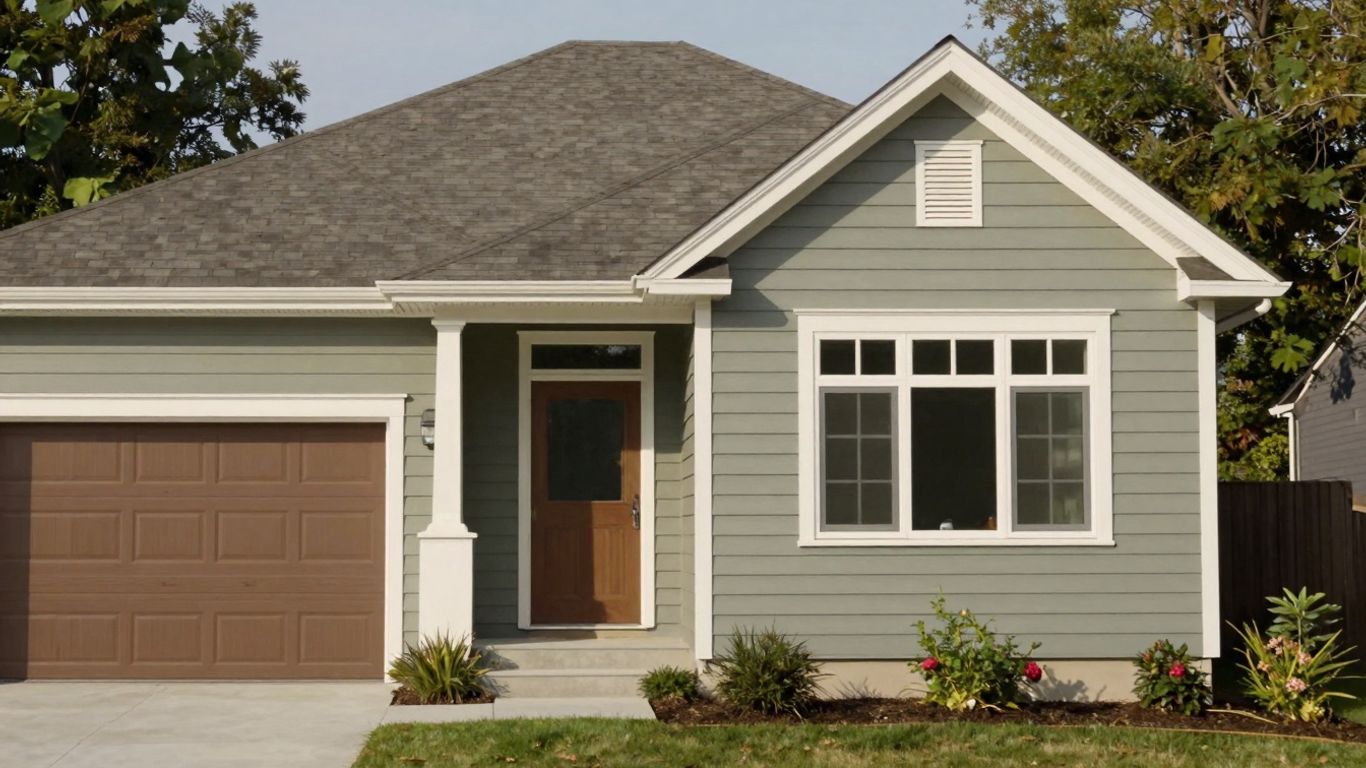
So, you're thinking about giving your home's outside a facelift? Maybe new siding, a different roof color, or perhaps some snazzy new windows? It's a big decision, and honestly, it can be a bit nerve-wracking to spend a good chunk of change on something you can't quite picture yet. That's where these free home exterior visualizers really shine. They're not just fancy digital toys; they're practical tools that can seriously change how you approach a renovation project.
Saving Time And Money On Renovation Projects
Think about the old way of doing things. You'd get samples, maybe a contractor would bring some swatches, and you'd try to imagine how that little piece of siding would look covering your whole house. It's a guessing game, and guessing games can get expensive. You might pick a color, commit to it, and then realize it just doesn't work once it's all installed. That means more money to fix it, more time waiting for new materials, and a whole lot of frustration. A visualizer lets you try out dozens of combinations without spending a dime or waiting for deliveries. You can see if that dark gray siding clashes with your brick before you even talk to a supplier. This upfront visualization helps avoid costly mistakes and speeds up the decision-making process, which often translates directly into saving money and getting your project done faster.
Making Confident Product Selections
It's one thing to see a product on a manufacturer's website, and quite another to see it on your house. Visualizers let you take those product options – siding, roofing, trim, doors, windows – and virtually "install" them. You can compare different brands side-by-side, see how various shades of blue siding look next to each other, or test out different window styles. This hands-on (well, mouse-on) experience builds confidence. You're not just picking something that looks good in a catalog; you're choosing something you've seen, in context, on your own home's digital twin. This reduces buyer's remorse and makes you feel much better about the final choices you make.
Enhancing Curb Appeal With Informed Choices
Let's face it, curb appeal is a big deal. It's the first impression your home makes, and it affects your property's value. When you can experiment with different looks, you're not just picking colors; you're crafting an aesthetic. You can play with contrasting trim colors, explore different architectural styles for your doors, or see how a new roof line might change the overall feel of your house. The visualizer gives you the power to play designer, mixing and matching elements until you find a combination that truly makes your home stand out. This informed approach means you're more likely to end up with a result you absolutely love, boosting your home's attractiveness and your own satisfaction.
Using a visualizer is like having a crystal ball for your home's exterior. It takes the guesswork out of big renovation decisions, letting you see the potential before you commit to the actual work. This foresight is incredibly powerful for homeowners and contractors alike.
Ready to See Your Dream Home Come to Life?
So, there you have it. Designing your dream home's exterior doesn't have to be a guessing game anymore. With these free visualizer tools, you can play around with different looks, colors, and styles right from your computer. It's like having a crystal ball for your house! You can try out new siding, swap out doors, or even rethink your roof color before you commit to anything. This way, you get a clear picture of what you'll end up with, and it makes talking to contractors way easier too. Give it a whirl – you might just surprise yourself with what you come up with.
Frequently Asked Questions
What is a home exterior visualizer?
A home exterior visualizer is a cool online tool that lets you see how different changes might look on your house before you actually make them. You can try out new paint colors, different kinds of siding, or even new windows and doors to see what fits your style best.
How do I start using a free visualizer?
Most visualizers let you start by picking a sample house that looks like yours or by uploading a photo of your actual home. Some even let you use pictures from Google Street View. It's usually pretty simple to get going, just follow the on-screen steps.
Do I need to be a design expert to use this tool?
Not at all! These tools are made for homeowners, not just pros. They have easy-to-use buttons and options. You don't need any special skills, just a good idea of what you might want for your home's look.
Can I see how different brands and colors will look?
Yes! That's one of the best parts. You can usually pick from a variety of product brands, different styles like modern or traditional, and tons of colors to see exactly what works for your home.
What if I want to save my design or show it to someone else?
Most visualizers let you save your designs so you can come back to them later. You can often download your finished design or share it with family, friends, or even contractors to get their opinions or estimates.
Will using a visualizer save me money?
It can! By letting you try out different looks virtually, you can avoid making costly mistakes. You'll have a clearer idea of what you want, which helps you choose the right products the first time and can lead to better deals with contractors.
Book Your Project Consultation